
2.0 KiB

Guess the correct number (from binary to decimal) before time runs out!
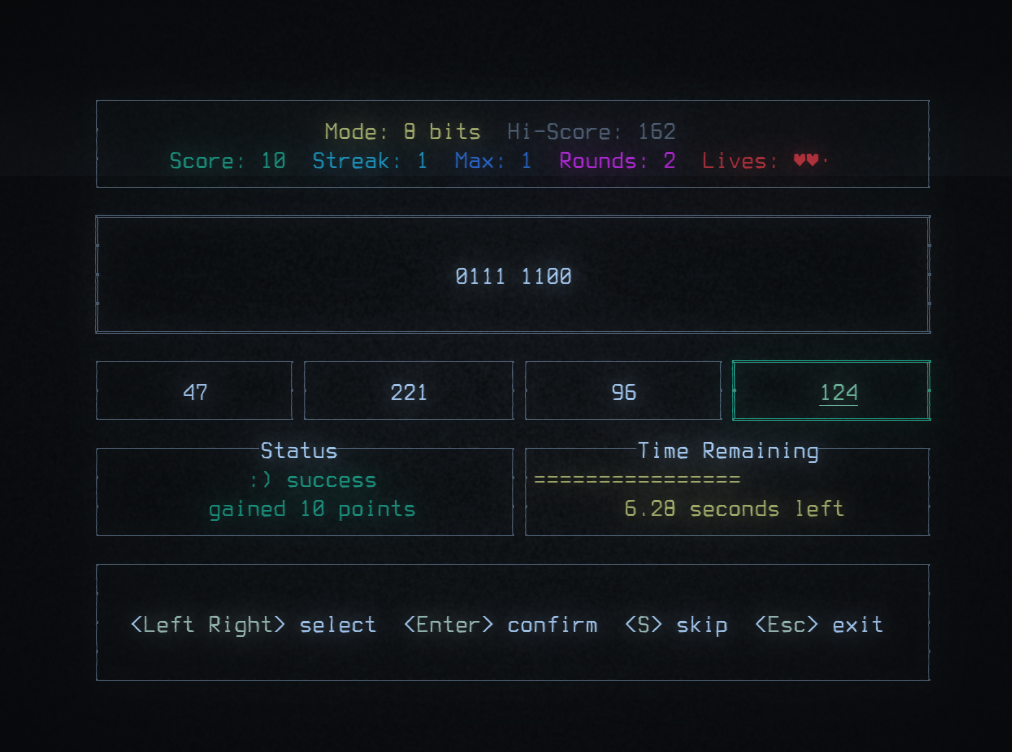
Or lose a life trying.

Includes 16-bit mode as well, when you feel a little bit insane.

Includes multiple 4-bit modes, to train individual nibbles.

Colorblind friendly
I discovered usability issues early on while testing on a monochromatic terminal emulator,
and took this as a challenge to make it work well regardless of color perception.

Can you crack the high score?
The longer your streak, the more points you get, but the faster the timer runs out!
High scores are tracked for each game-mode separately, and saved in a text file relative to the executable.
Play
Download the release for your platform, see Releases.
There is one file for linux and one for windows (.exe).
Linux
- download the file
binbreak-linux - open a terminal and navigate to the folder where you downloaded it, e.g.
cd ~/Downloads - make it executable:
chmod +x binbreak-linux - run the game:
./binbreak-linux
Controls
- use the arrow keys for navigation
- press Enter to confirm choices
- press Esc to exit a game mode or the game. CTRL+C also works to exit the game.
Retro aesthetics
For the best experience, I recommend using Cool Retro Terminal on Linux, or Windows Terminal in Retro mode.
But the game should run fine in any terminal.
Build/Run from source
You be inclined to not run binaries from the internet, and want to build from source instead.
- download the source code
- make sure you have Rust and Cargo installed, see rustup.rs
- open a terminal and navigate to the folder where you downloaded the source code, e.g.
cd ~/Downloads/binbreak - build the project:
cargo build --release
Run
cargo run --release
Test
cargo test
